
Just sign.

A simple, isolated signer for Web3 — not another hot wallet

How it works
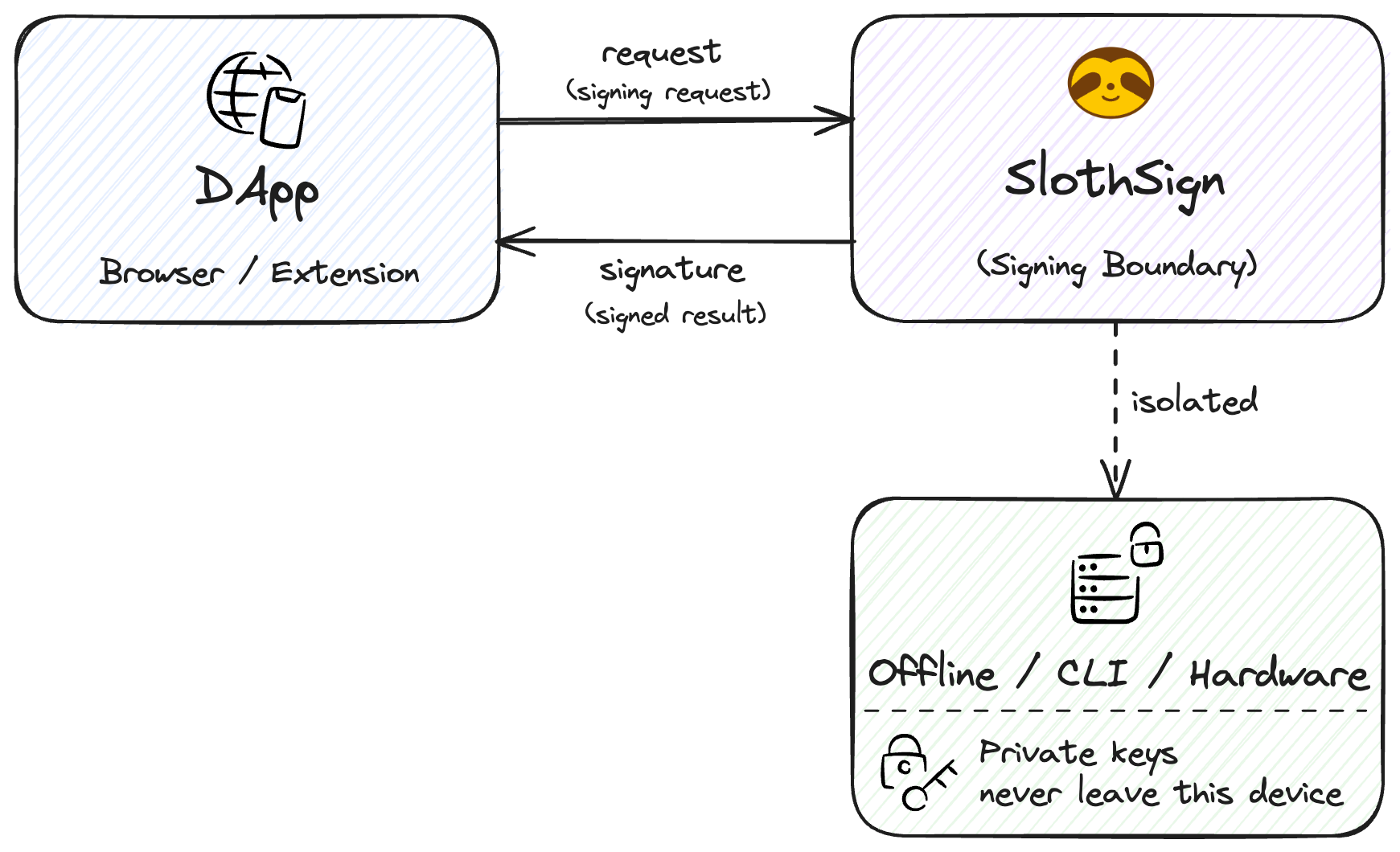
SlothSign signing flow: DApp → SlothSign → offline signer → signature → DApp

Principles

A signer, not a wallet. Six principles guide everything.

Key isolation
Private keys live only in the CLI, offline phone, or Trezor — never in the extension or the DApp.
No forced pairing
Pure data transport via text, clipboard, or QR. No accounts to import, no pairing ceremony.
Network-decoupled
RPC and broadcast stay with the DApp. SlothSign needs no RPC, no balance lookups, no history.
Honest display
Anything it can't decode is explicitly marked unknown — never disguised as understood.
Not a wallet
No balances, portfolio, swaps, bridges, or DApp browser. Just the signing boundary.
CLI native
High-frequency and automated users sign locally from the terminal with a single command.

Three signing modes

Every address picks how it signs. Keys stay on the chosen device.

No sign
Watch-only
Expose the address only — not a dead end: link the address to a signer at any time and unlock signing.
Offline
QR / text
Works with QR wallets like Keystone and AirGap Vault, the CLI, or an offline phone — the signature returns via text or QR scan.
Hardware
Hardware
A connected hardware wallet like Trezor handles signing. Confirm on the device, signature returns to the DApp.

How it compares

SlothSign isn't safer than a hardware wallet — it trades a little hardware-grade isolation for much better signing UX, screen space, and chain support.

Hot walletsSlothSignHardware wallets
Core roleAssets + DApp + signingIsolated signingIsolated signing
Private-key isolationLowMedium / highHigh
Asset queriesYesNoneLimited
QR isolationUsually noCore capability (Keystone, AirGap Vault)Common
ScreenLargeLarge (phone / desktop)Small
Complex tx renderingWallet-dependentDecoder-dependentDecoder-dependent
CLIRareNativeRare